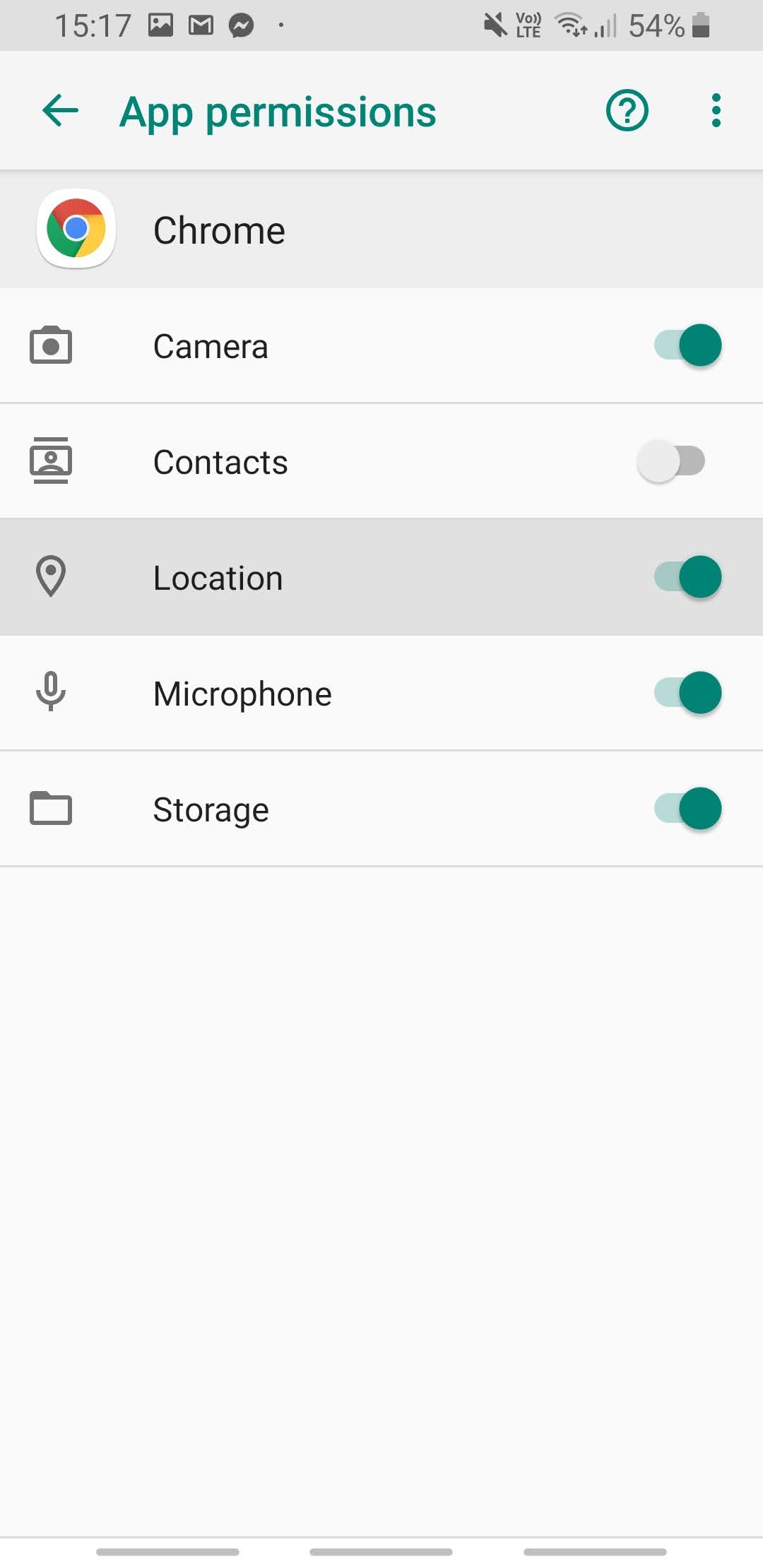
Instructions for iOS devices:
- On the main screen of your phone, open “Settings”.
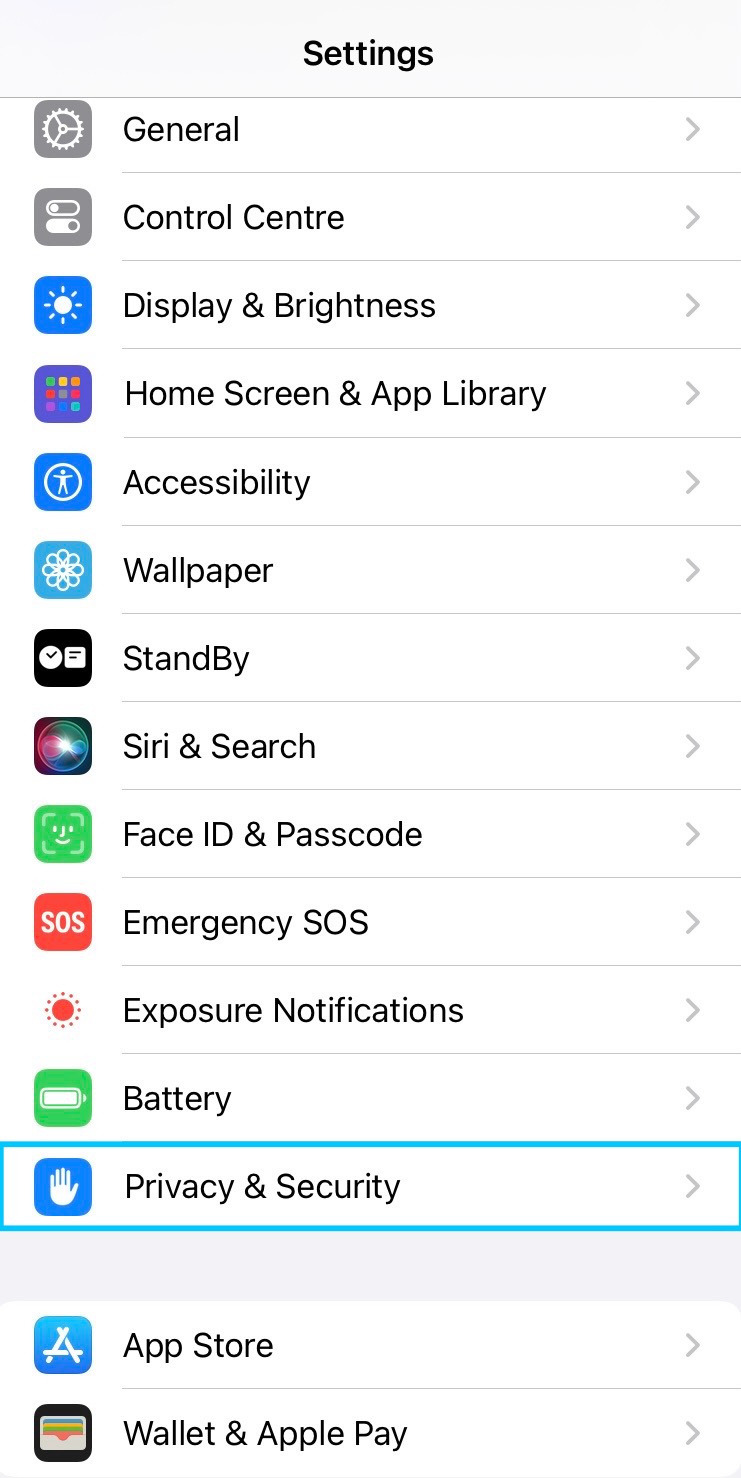
- Scroll down to the option “Privacy & Security” and select it.
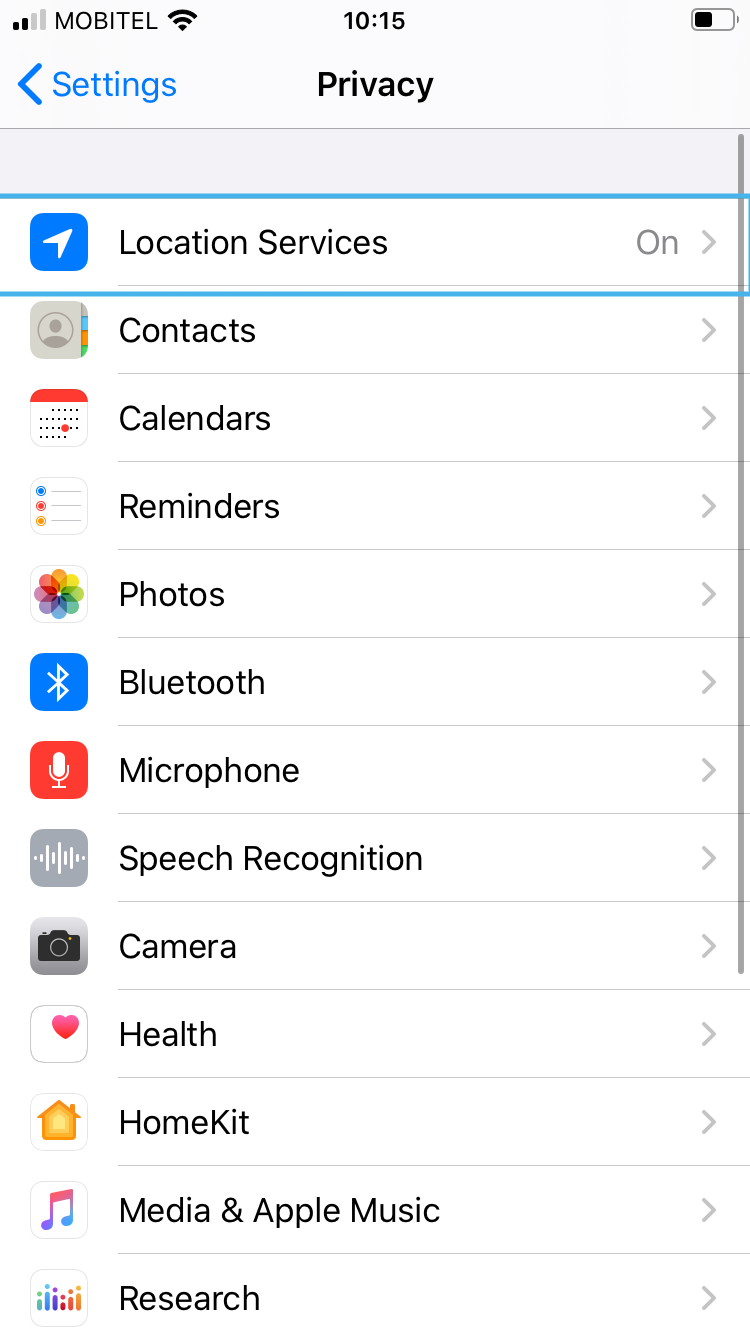
4. Then select “Location Services”.
4. Make sure that location services are enabled.
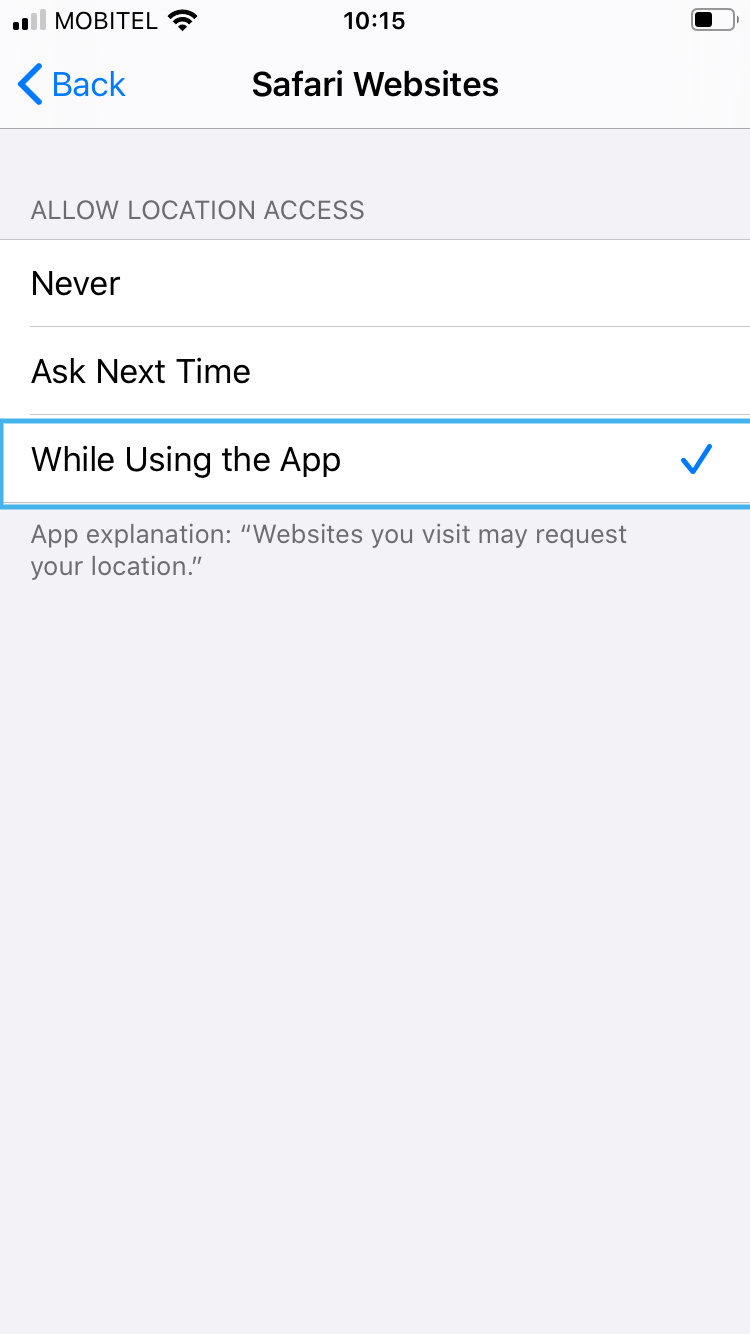
5. Select “Safari Websites”.
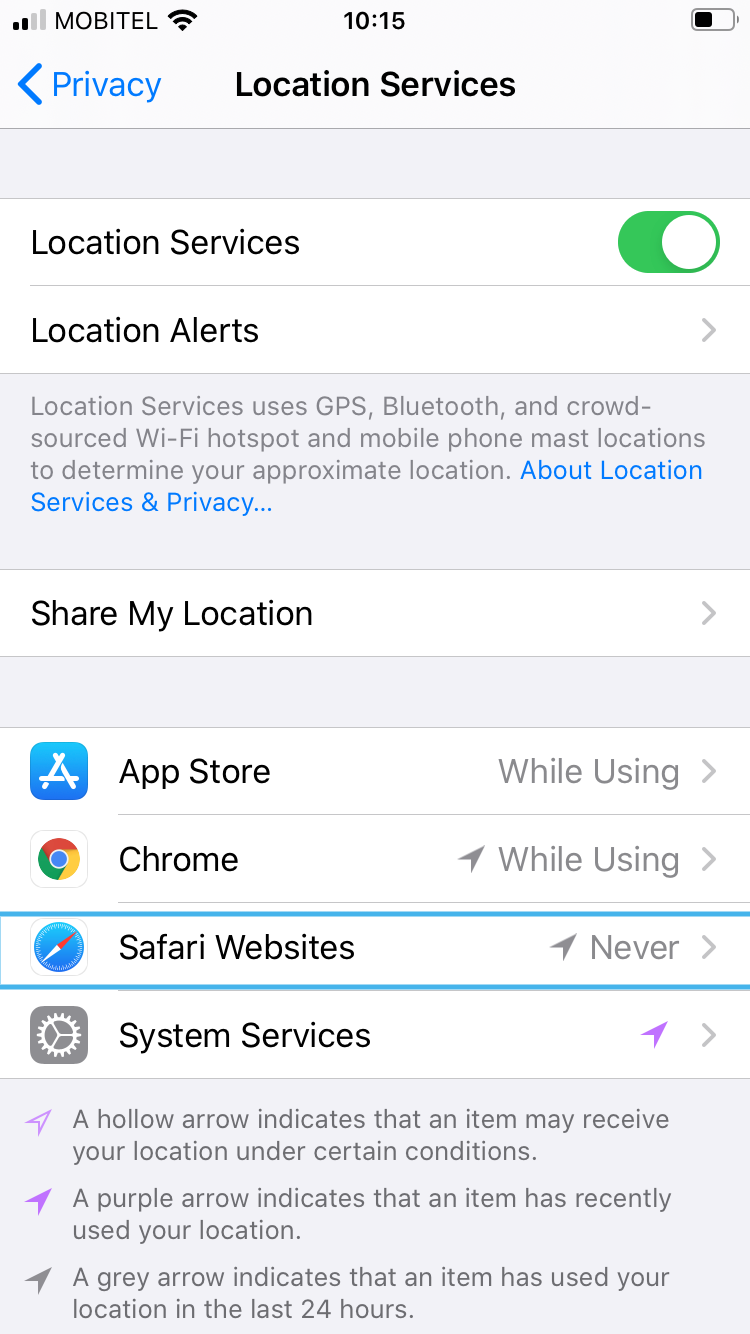
6. Select the option “While Using the App”.
Instructions for Android devices:
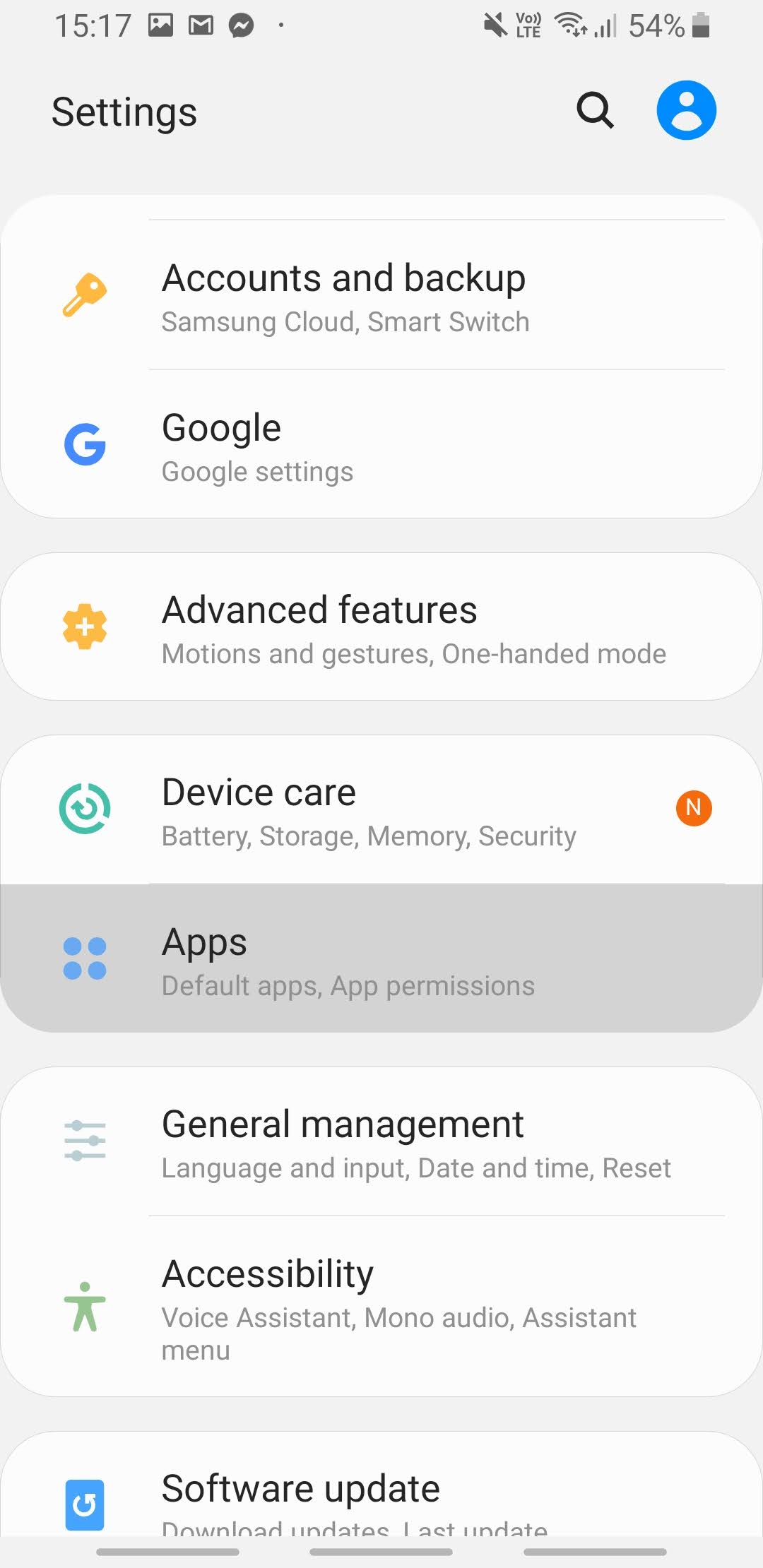
- On your phone, open the Settings app.
- Select “Apps”.
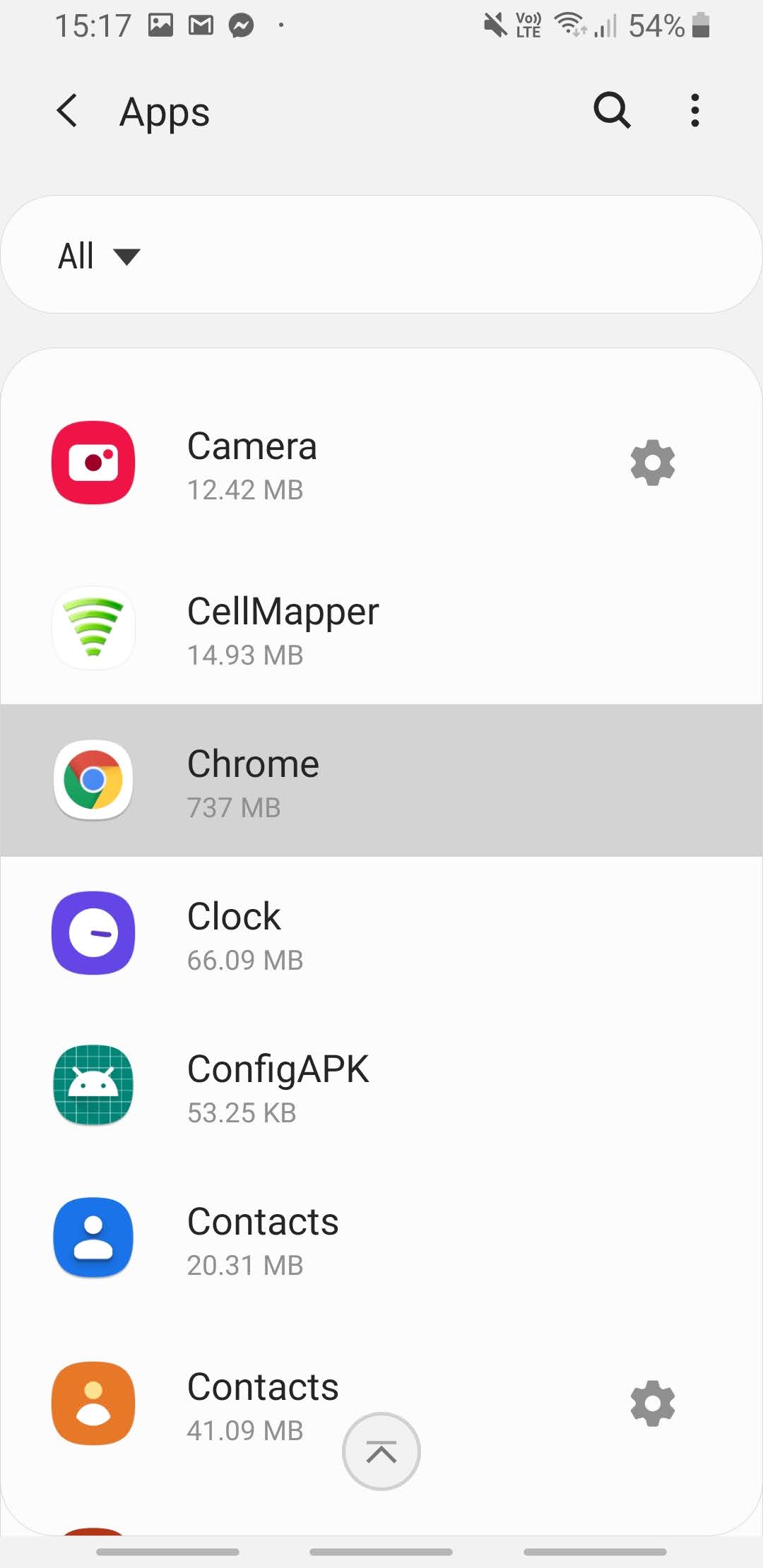
3. Select the Chrome app or another browser that you are using.
4. Select “Permissions”.
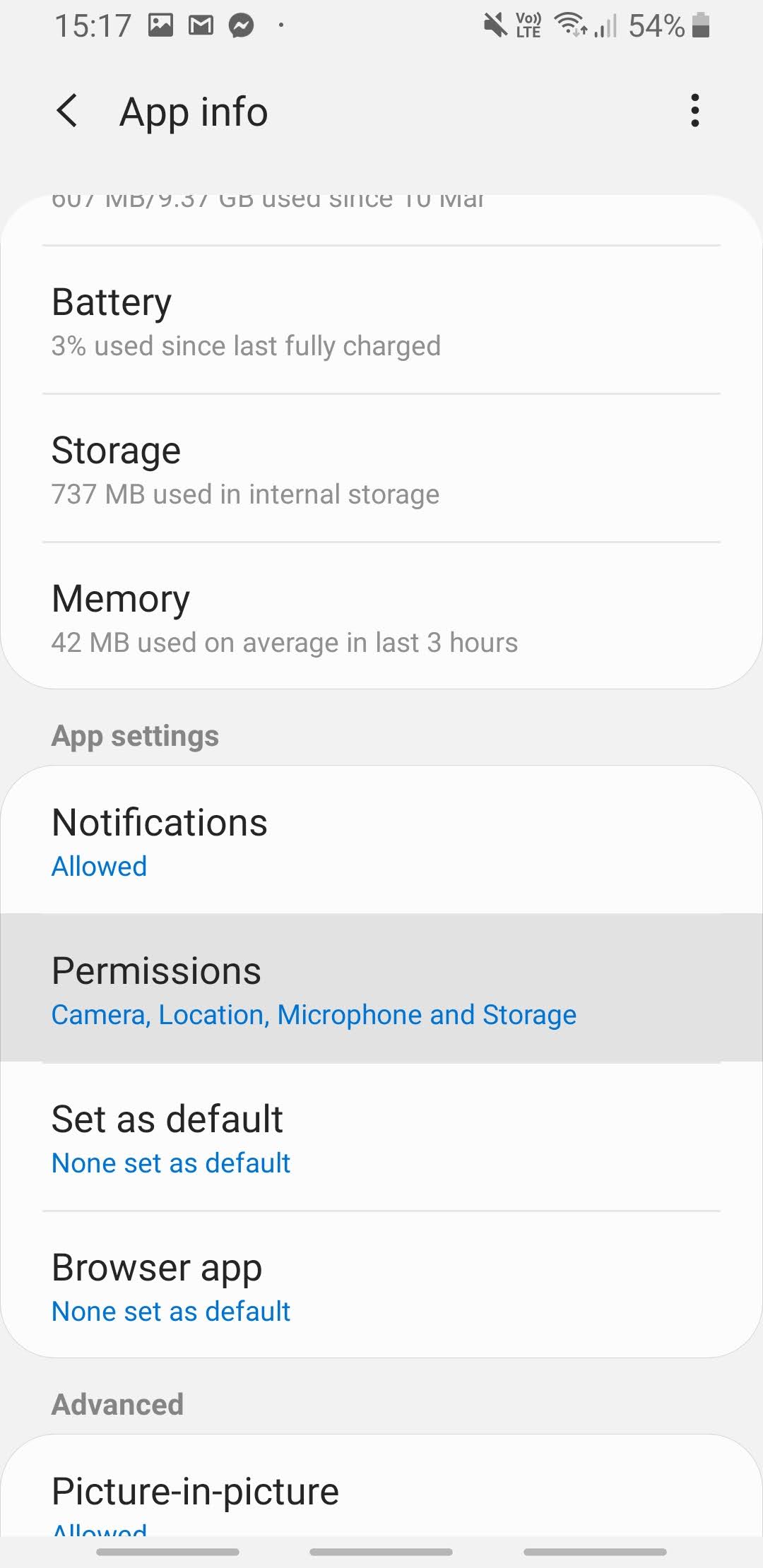
5. Enable location permission