Instructions for iOS devices:
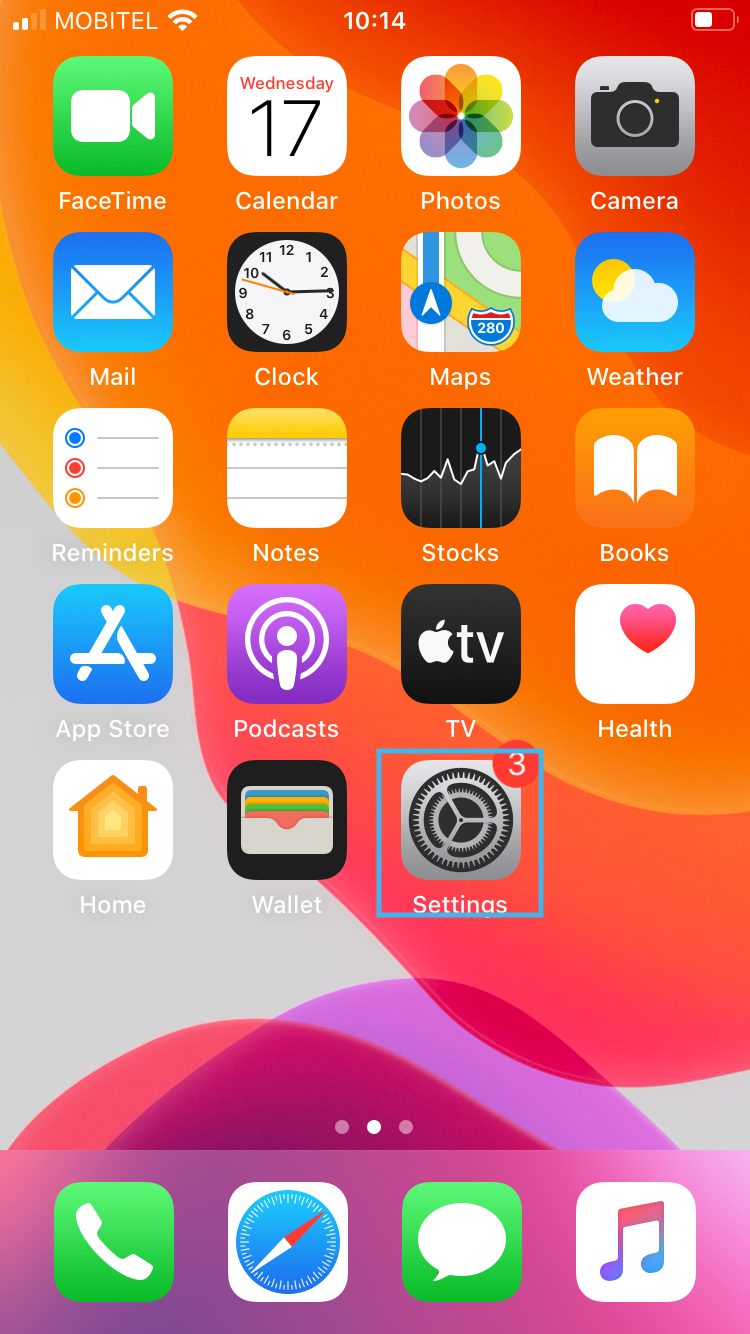
- On the main screen of the phone, open “Settings”
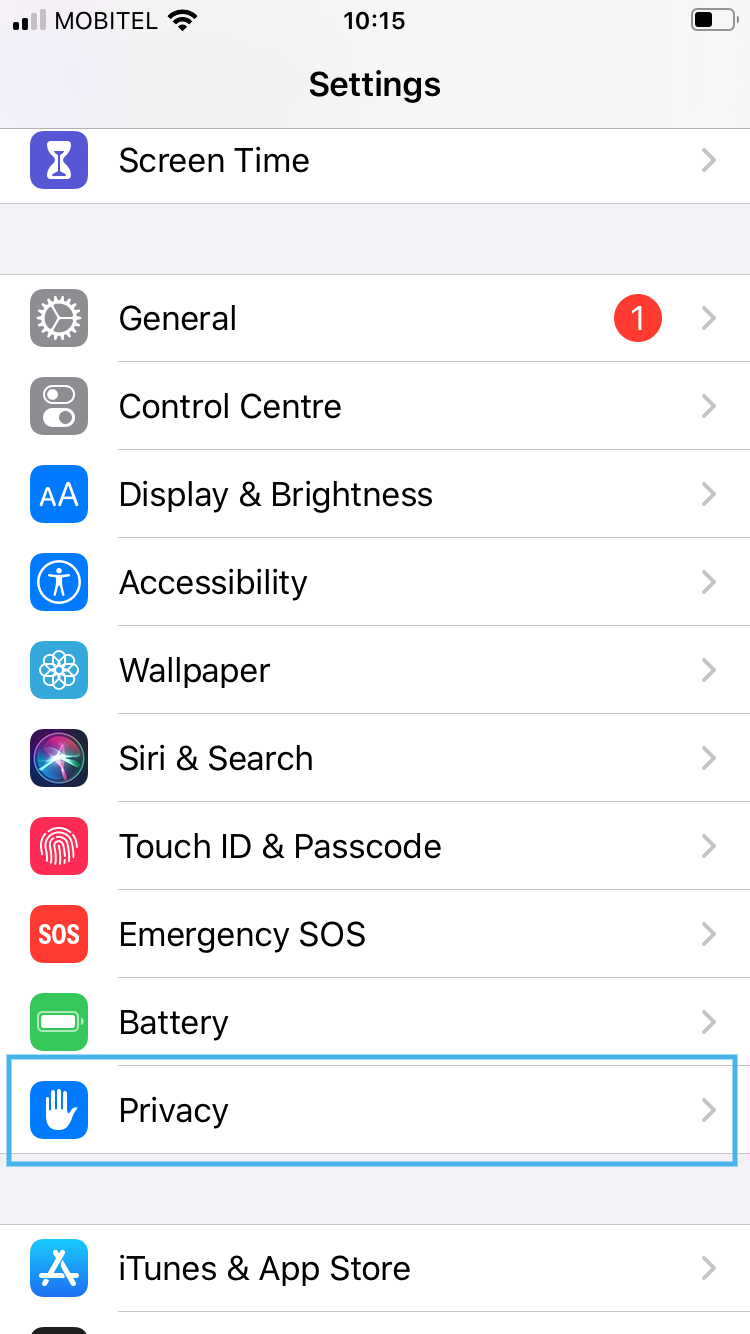
2. Select “Privacy”
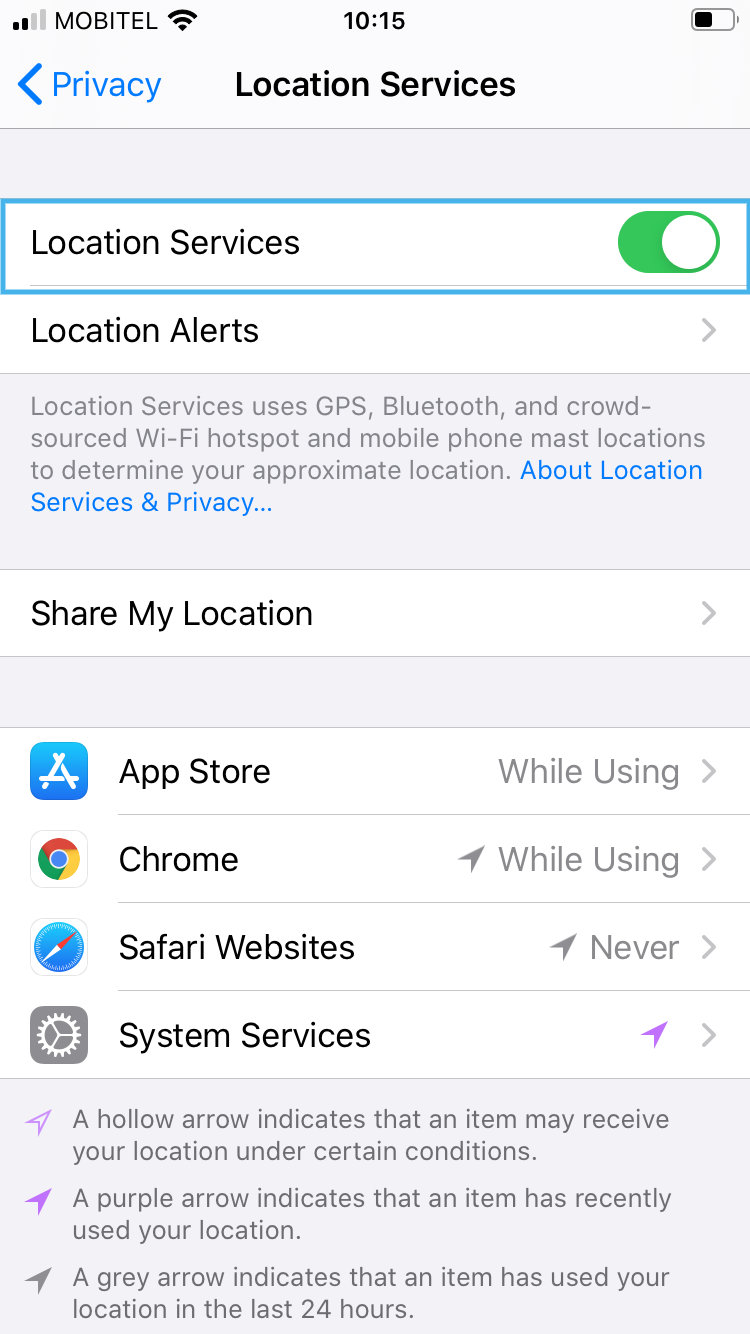
3. Select “Location Services”
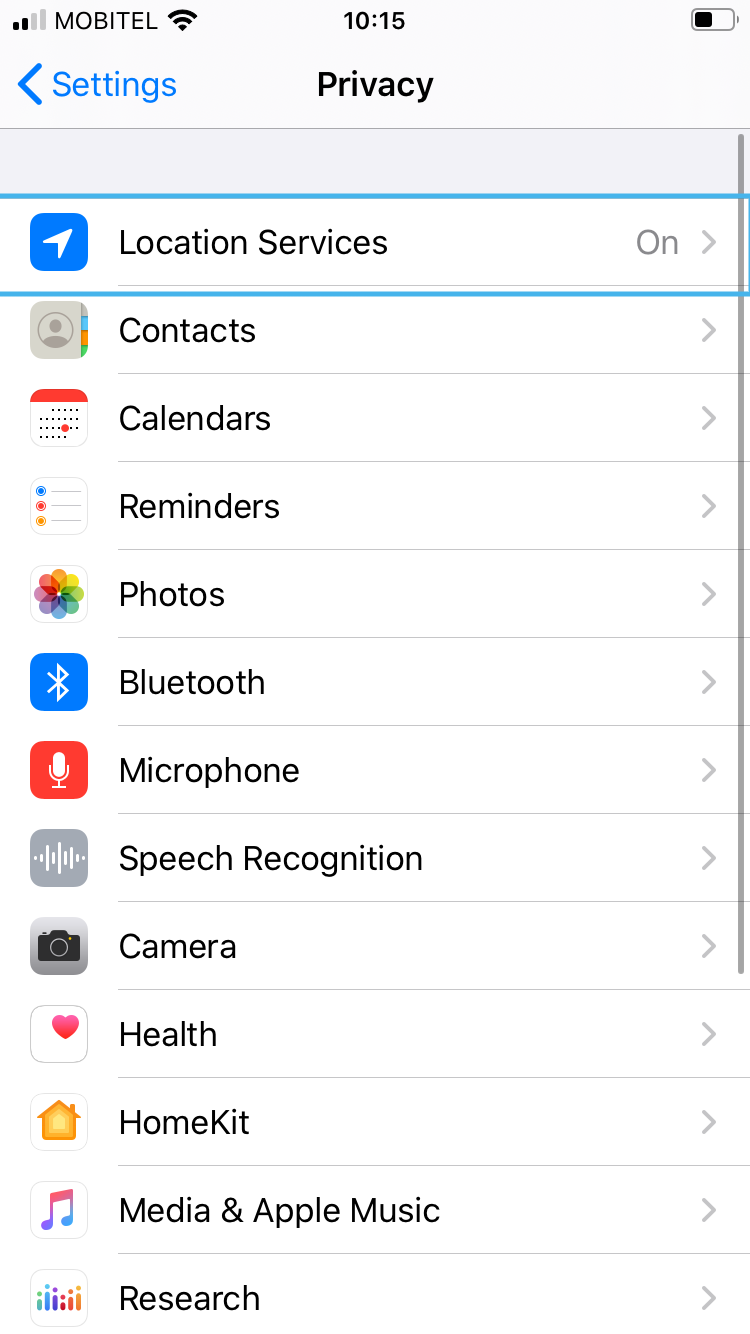
4. Make sure that location services are enabled
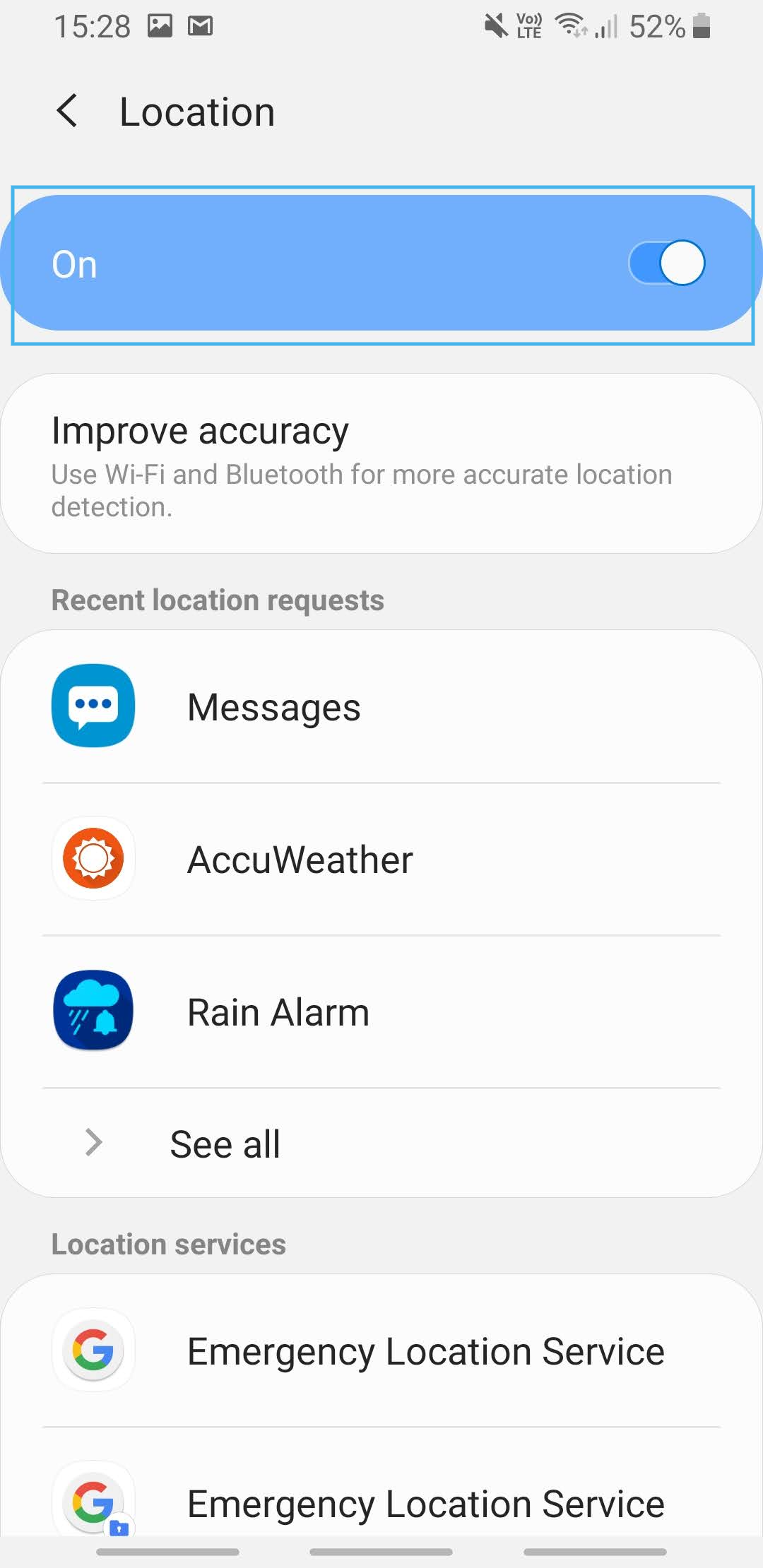
Instructions for Android devices:
- Go to the main menu
- Swipe down from the top of the screen to reveal options
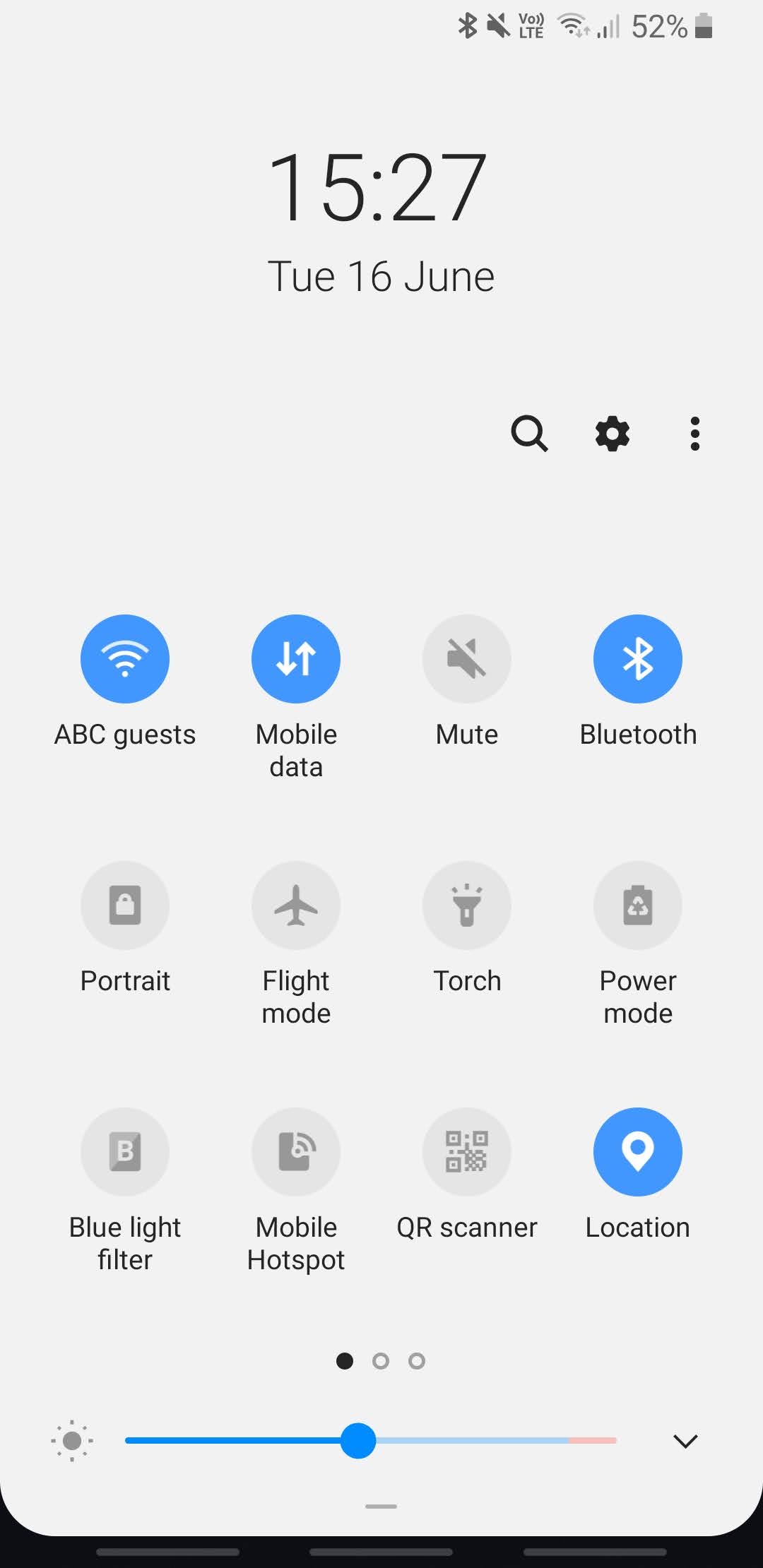
3. Find the “Location” icon
4. Hold the icon until the menu opens
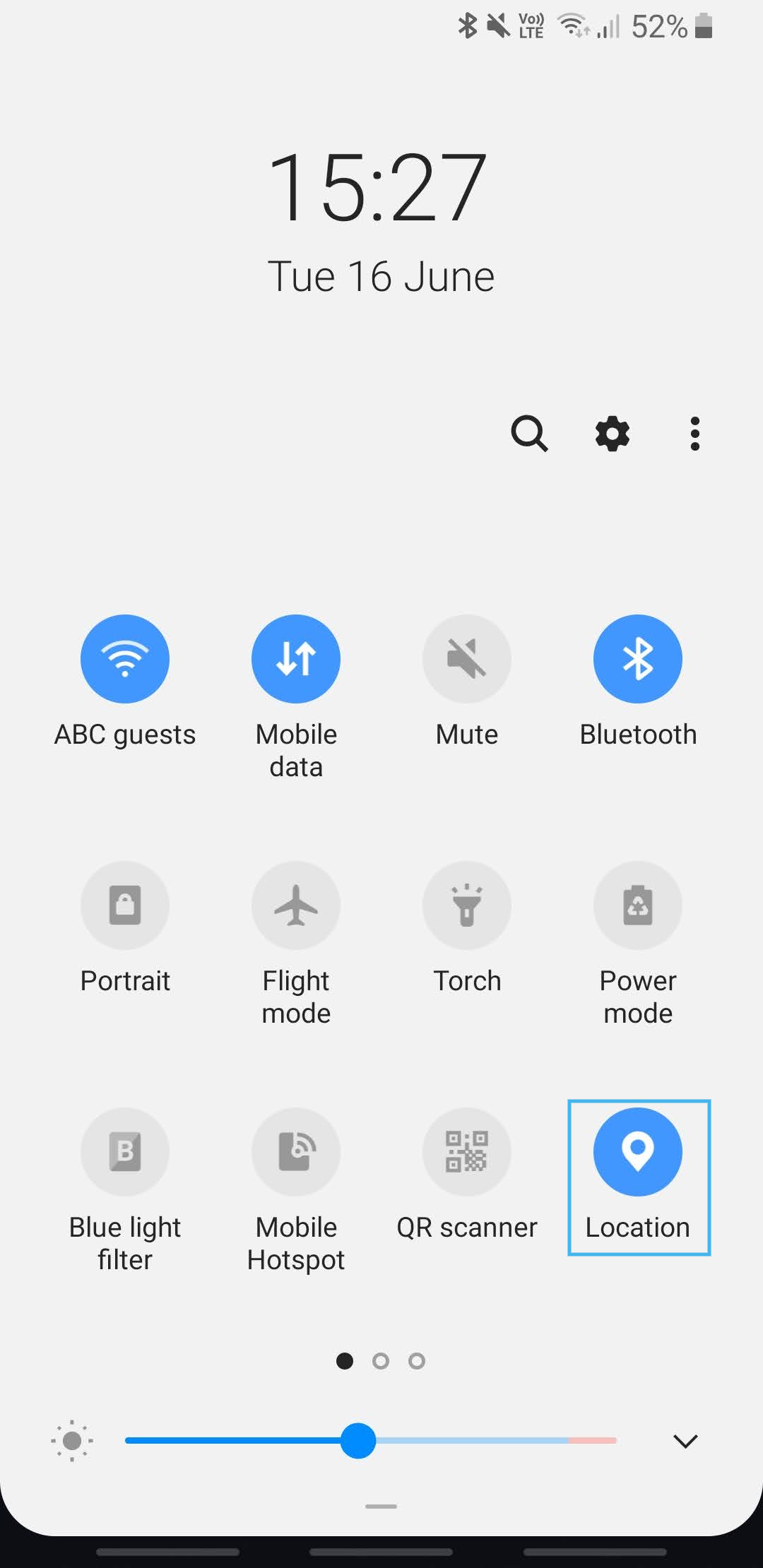
5. Ensure that location services are enabled